
Why is quoting from drawings slow? Let AI read the engineering drawing first
The slowest part of quoting isn't the arithmetic. It's finding and reading: finding whether you've made something similar and what you quoted then, and reading the new drawing line by line. Where quoting from drawings gets stuck, how drawing-specific AI reads a drawing, real results, and what you need to get started. The overview of our manufacturing AI series.
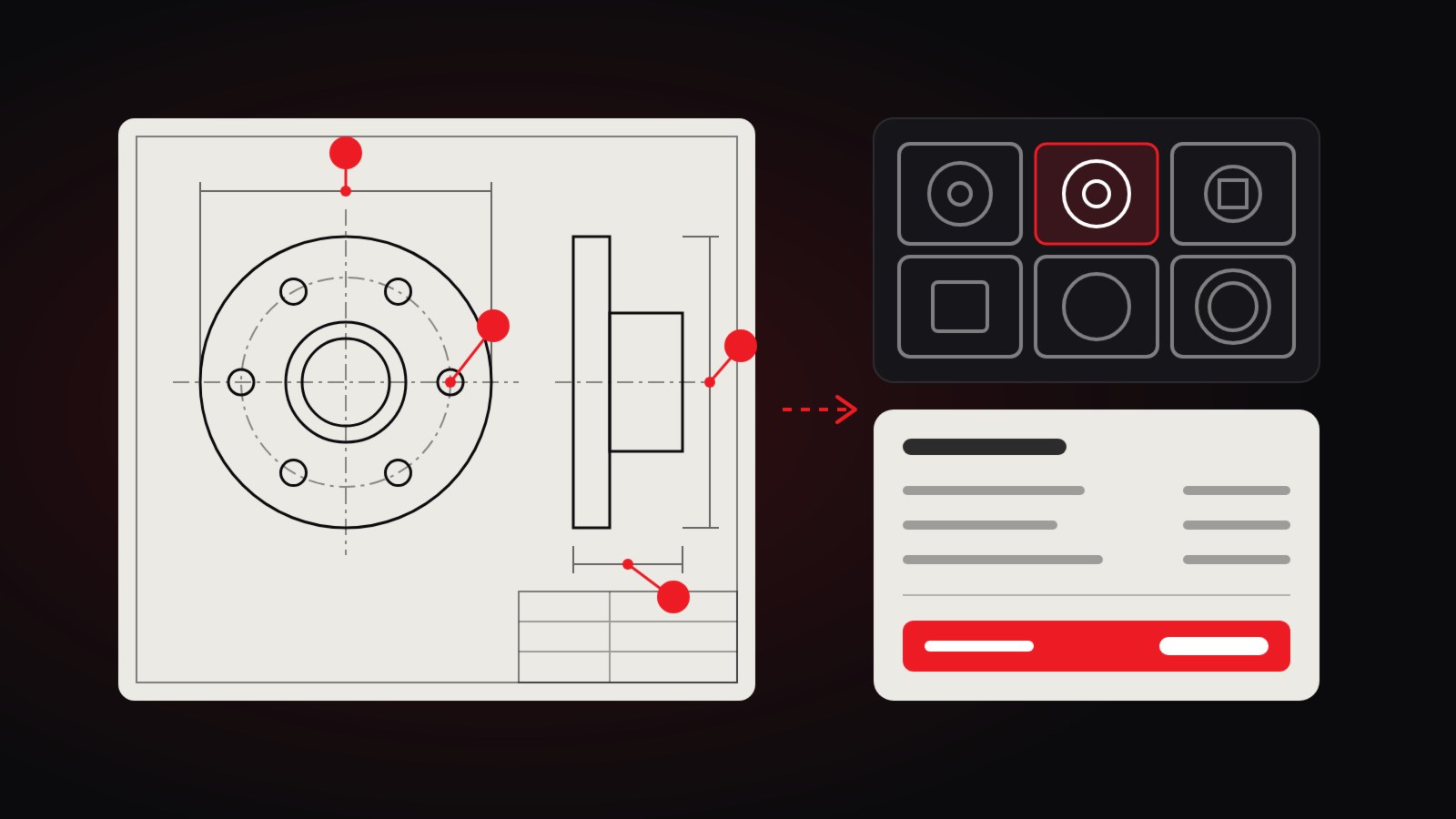
Quoting from drawings is slow mostly not because of the calculation, but because of finding and reading: finding whether you've made a similar part and what you quoted then, then reading every dimension, tolerance, material and note on the new drawing. Let AI read the drawing first and both get much faster. This is the overview of TAITAN's manufacturing AI series.
The short version
- Quoting gets stuck on two things: finding similar old parts and understanding the new drawing. Both depend on senior colleagues' experience.
- An engineering drawing isn't an ordinary picture; it's an engineering definition. The symbols and interpretation of geometric tolerances are set by international standards such as ISO 1101.
- Drawing-specific AI reads that definition, including where each annotation sits on the drawing, and links it to your shop's old drawings and old quotes.
- After adopting it, one laser sheet-metal shop raised quoting efficiency by 70% and its win rate by 15% (a published Baliang Technology case).
Where quoting gets stuck
A job shop gets new engineering drawings every day. From arrival to sending a quote, a drawing usually goes like this:
- Sales receives the drawing and passes it to engineering or a senior machinist.
- The machinist first thinks: have we made anything like this? Then digs through old files.
- Reads the new drawing line by line: dimensions, tolerances, geometric tolerances, surface treatment, heat treatment, and the material and revision in the title block.
- Works out this part's price against the old part's price and process.
Steps 2 and 3 take the most time, and only a few people can do them. When drawings pile up they queue; when the machinist takes a day off, everything stops. Quote too slowly and another shop may win the job; quote inaccurately and you may lose money on it.
Why engineering drawings are hard to read
The annotations on an engineering drawing are a language with rules. For geometric tolerancing, ISO 1101 defines the symbols and interpretation of form, orientation, location and run-out tolerances; drawings from American clients often use ASME Y14.5. One drawing can carry dozens of annotations, plus the title block in the corner, notes, the BOM table and the revision history, all of which are part of the drawing too.
For people, reading it takes experience. For general-purpose AI, it's an image. How the two differ: Can ChatGPT read engineering drawings?
What drawing-specific AI reads
Take CADASU, for which TAITAN is the exclusive distributor. It reads four kinds of information:
- Every annotation on the drawing: dimensions, tolerances, geometric tolerances, surface treatment, heat treatment, along with where each sits on the drawing.
- The features of the part itself: shape, hole positions, machining features, recognised from the geometry, not from file names or text.
- The information tucked in the corners: title block, notes, BOM table, revisions and change history.
- Your company's own data: old drawings, past quotes, SOPs and internal standards, read in as the basis for its judgements.
It reads native DWG and DXF files directly, as well as PDF, PNG, JPG and TIFF.
What you can do once AI has read the drawing
| When | Feature | What it does |
|---|---|---|
| When an enquiry arrives | Quoting assistance | Finds similar old parts and their quotes by drawing number, part number, name, material or image search |
| Before shipping | Inspection sheets | Pulls out dimensions, tolerances and requirements, matches them to balloon numbers, and outputs them in your own form |
| When a client revises | Drawing comparison | Lists every difference between old and new versions and marks them on the drawing |
| When you receive a client's drawing | Client drawing to shop drawing | Swaps the title block, translates, converts metric and imperial, adds stamps |
| When an order comes in | Automatic order entry | Carries order and quote fields into your ERP or CRM; a person checks before it's sent |
| When someone on the floor asks | Shop knowledge | Searches drawings, SOPs and internal standards together, citing where each answer comes from |
For quoting, the key is finding: sales can look up similar old drawings and the prices quoted for them without booking a machinist's time for every drawing. The final price is still decided by a person, but the basis is in front of them at once.
Real results
Three adoption cases published by Baliang Technology:
- Laser sheet metal, SME: finding similar drawings and pulling up past quotes raised quoting efficiency by 70%; steadier quotes raised the win rate by 15%.
- Automotive and medical components, listed company: one inspection sheet went from 30–40 minutes to about 5 minutes; a full set of inspection documents (IQC, IPQC, FQC, OQC, CP) went from several days to 1–2 hours.
- Taiwan headquarters + Vietnam plant, multinational: both sites look at the same drawing instead of keeping and translating their own copies, and senior machinists' judgement stays in the system.
What you need to get started
Very little. No server to buy, no IT environment to set up. CADASU is installed on a computer and reads the folders where you already keep drawings, local or on a NAS. It takes three steps:
- Open an account, and log in the same day.
- Training: we run through it with your colleagues using your own drawings.
- Start using it: pick the one task that takes the most labour every day, then move on once it runs smoothly.
The output is the Excel and PDF files you already use, and sign-off stays with the same people. For companies registered in Taiwan, the Industrial Competitiveness Advisory Program (Taiwan) currently covers the full NT$100,000 adoption fee, with a further NT$120,000 once staff complete training; places are limited. TAITAN first checks whether your factory qualifies, then helps you apply.
To find out whether CADASU suits your factory, see the CADASU page, or book an assessment.
Further reading
Manufacturing AI series:
Other series: What pages does a B2B manufacturing website need?, What is GEO?
References
- ISO. ISO 1101:2017 Geometrical product specifications (GPS) — Geometrical tolerancing.
- ASME. Y14.5 Dimensioning and Tolerancing.
- Baliang Technology. CADASU official website.
- Baliang Technology (2026). CADASU product presentation: adoption cases and government subsidies.